Inventory Management
Effective inventory management ensures you have the right products in stock at the right time. DokanGo provides comprehensive tools for tracking stock levels, managing movements, and optimizing inventory investment.
Overview
The inventory management system automatically tracks stock changes from orders, returns, and manual adjustments, giving you real-time visibility into your inventory position.
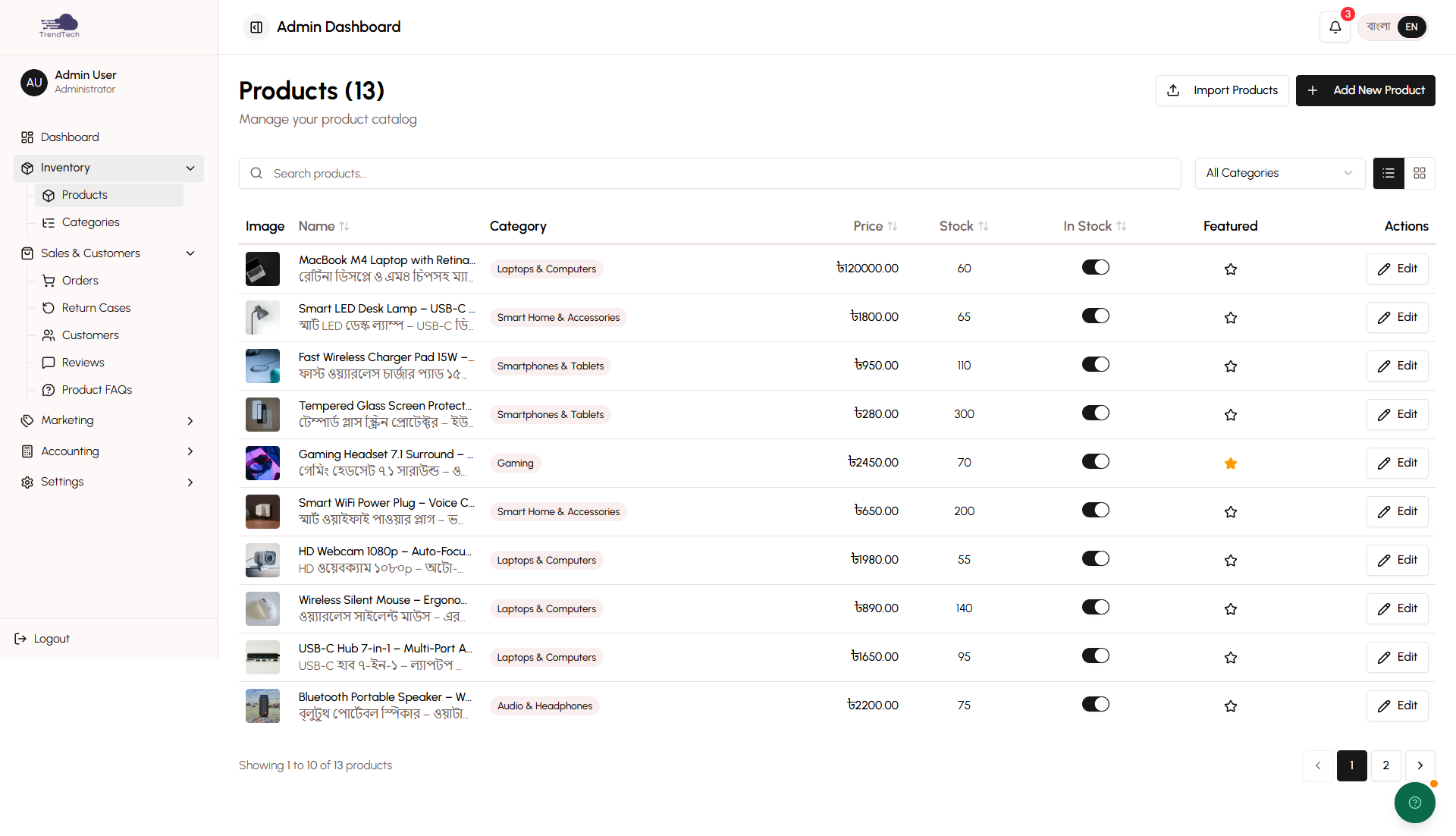
Key Capabilities
- Real-time stock tracking
- Automatic updates from orders and returns
- Low stock alerts
- Out-of-stock handling policies
- Stock movement audit trail
- Inventory valuation
- Dead stock detection
- Stock velocity analysis
- Manual stock adjustments
Stock Tracking
DokanGo automatically tracks inventory levels for every product and variant.
Real-Time Updates
Stock quantities update instantly when:
- Orders are placed (stock decreases)
- Orders are delivered (stock confirmed as sold)
- Returns are completed (stock increases)
- Manual adjustments are made
- New products are added
Per-Variant Tracking
For products with variants (colors, sizes, options), each variant has its own stock level:
Example:
T-Shirt Product:
  Red - Small: 10 units
  Red - Medium: 15 units
  Red - Large: 8 units
  Blue - Small: 12 units
  Blue - Medium: 20 units
  Blue - Large: 5 units
Customers can only order variants that are in stock.
Low Stock Alerts
Get notified when products are running low so you can reorder before stockouts.
Setting Thresholds
For each product, set a low stock threshold:
- Default: 5 units
- Customizable per product
- Based on your typical reorder time and sales velocity
Example:
Product A sells 10 units/week
Reorder takes 2 weeks
Low stock threshold: 25 units (2.5 weeks of stock)
Alert Notifications
When stock falls below threshold:
- Dashboard shows low stock warning
- Product list highlights low stock items
- Email notification (if enabled)
- Recommended reorder quantity suggested
Out-of-Stock Handling
Control what happens when products run out of stock.
Policy Options
Prevent Orders (Recommended):
- Out-of-stock products cannot be added to cart
- "Out of Stock" badge displays on product
- Prevents overselling
- Ensures you can fulfill all orders
Allow Orders:
- Customers can order out-of-stock products
- Useful for pre-orders or quick restocking
- Risk of delays if restock takes longer than expected
Configure this policy in Store Settings.
Stock Movements
Every inventory change is recorded with complete details.
Movement Types
Sales:
- Order placed: Stock reserved
- Order delivered: Stock confirmed sold
- Quantity: Negative (stock decreases)
Returns:
- Return completed: Stock restored
- Quantity: Positive (stock increases)
- Condition tracked (resellable vs damaged)
Adjustments:
- Manual corrections
- Damaged inventory write-offs
- Found inventory
- Quantity: Positive or negative
New Inventory:
- Products added
- Stock replenished
- Quantity: Positive
Audit Trail
Each movement records:
- Date and time
- Movement type
- Quantity changed
- Reason/notes
- User who made the change
- Related order (if applicable)
- Before and after quantities
This complete audit trail helps with:
- Inventory reconciliation
- Theft detection
- Error correction
- Accounting verification
Inventory Valuation
Understand the total value of your inventory investment.
Valuation Calculation
Inventory Value = Sum of (Quantity × Cost Price) for all productsExample:
Product A: 50 units × 500 BDT = 25,000 BDT
Product B: 100 units × 300 BDT = 30,000 BDT
Product C: 200 units × 150 BDT = 30,000 BDT
Total Inventory Value: 85,000 BDT
Valuation Reports
View inventory value by:
- Total value
- Value by category
- Value by supplier
- Value by age (how long in stock)
- Percentage of total assets
Use valuation for:
- Financial reporting (Balance Sheet)
- Insurance coverage decisions
- Investment analysis
- Cash flow planning
Dead Stock Detection
Identify products that aren't selling so you can take action.
Detection Criteria
Products are flagged as dead stock if:
- No sales in 90+ days
- High quantity in stock
- Significant value tied up
Dead Stock Report
For each dead stock item, see:
- Product name
- Quantity in stock
- Value tied up
- Days since last sale
- Recommended actions
Recommended Actions
Discount:
- Reduce price to move inventory
- Create flash sale
- Offer bundle deals
Liquidate:
- Sell at cost or below
- Donate for tax deduction
- Sell to liquidators
Write Off:
- Remove from inventory
- Record as loss
- Free up storage space
Stock Velocity Analysis
Understand how quickly products sell.
Velocity Calculation
Stock Velocity = Units Sold per Month
Days of Inventory = Current Stock / (Units Sold per Month / 30)
Example:
Product A:
  Current Stock: 60 units
  Sales: 90 units/month
  Days of Inventory: 20 days (fast moving)

Product B:
  Current Stock: 100 units
  Sales: 10 units/month
  Days of Inventory: 300 days (dead stock)
Velocity Categories
Fast Moving:
- Less than 30 days of inventory
- High sales velocity
- Reorder frequently
- Never let stock out
Medium Moving:
- 30-90 days of inventory
- Moderate sales velocity
- Standard reorder schedule
Slow Moving:
- 90-180 days of inventory
- Low sales velocity
- Consider discounting
- Reduce reorder quantities
Dead Stock:
- Over 180 days of inventory
- Very low or no sales
- Take action to liquidate
Manual Adjustments
Correct inventory discrepancies or record special situations.
When to Use Manual Adjustments
Physical Count Discrepancies:
- Actual stock doesn't match system
- Reconcile after physical inventory count
Damaged Inventory:
- Products damaged in storage
- Write off unsellable items
Theft or Loss:
- Products stolen or lost
- Adjust inventory to reflect reality
Found Inventory:
- Discovered products not in system
- Add to inventory
Supplier Returns:
- Returned defective products to supplier
- Remove from inventory
Making Adjustments
- Go to product inventory page
- Click "Adjust Stock"
- Enter new quantity or adjustment amount
- Select reason for adjustment
- Add detailed notes
- Submit adjustment
Accounting Impact:
- Inventory value increases or decreases
- Adjustment recorded in accounting system
- Affects profitability if write-off
Best Practices
Set Appropriate Thresholds - Base low stock alerts on actual sales velocity and reorder time.
Monitor Alerts Daily - Check low stock warnings and reorder promptly.
Conduct Physical Counts - Verify actual stock matches system quarterly.
Track Cost Prices - Always enter accurate cost prices for proper valuation.
Act on Dead Stock - Don't let slow-moving inventory tie up cash indefinitely.
Use Stock Velocity - Let data guide reorder quantities and timing.
Document Adjustments - Always add notes explaining manual adjustments.
Prevent Overselling - Use "Prevent Orders" policy for out-of-stock items.
Analyze Movement Patterns - Review stock movements to identify theft or errors.
Optimize Investment - Balance having enough stock with not tying up too much cash.
Related Topics
- Product Management - Learn about product catalog management
- Order Management - See how orders affect inventory
- Return & Resolution - Understand how returns restore inventory
- Financial Reports - View inventory valuation reports